Build from the official roster
Ask ChatGPT to locate a chapter’s public BNI member list, collect each member’s name and company, and show the normalized roster for approval before generating.
Holder-safe inserts, ready to print at exact size.
Enter exactly what should appear on the insert.
The footer, text size, and side margins adjust automatically. No BNI logo is printed because the holder supplies it.
The shaded edge indicates the protected side margin.
0 of 8 badge positions filled.
BNI Badge Maker for ChatGPT / Codex
The form above is ideal for assembling a few badges or one mixed 8-up sheet. For a complete chapter, repeat orders, or more complicated batches, the shareable AI package can manage the roster conversationally and paginate the finished job automatically.
Ask ChatGPT to locate a chapter’s public BNI member list, collect each member’s name and company, and show the normalized roster for approval before generating.
Create as many 8-up pages as needed, request multiple copies, rebuild from an updated roster, or prepare only new and replacement badges.
Correct a company name, combine Chapter Member and Regional Support Team badges, or work from a pasted list, spreadsheet, PDF, or member-list link.
Recommended prompt
Create one Chapter Member badge for every active member of the [Chapter Name] chapter in [City, State or BNI Region]. Find the official public BNI roster, show me the names and company names for approval, then generate the complete multi-page PDF.
Often, yes: “Create all the badges for the XYZ chapter.” If the chapter is unambiguous and its official roster is public, that is enough to begin. Otherwise, ChatGPT will need the city, region, or a link to the official member list.
For the most dependable result, paste the official roster URL and review the extracted names and companies before generation.
About this tool
This independent badge maker uses dimensions refined through physical test prints in the current official holders.
Designed for the new “2026” official BNI® name badge holders. Print one test sheet at 100% Actual Size before producing a large batch.
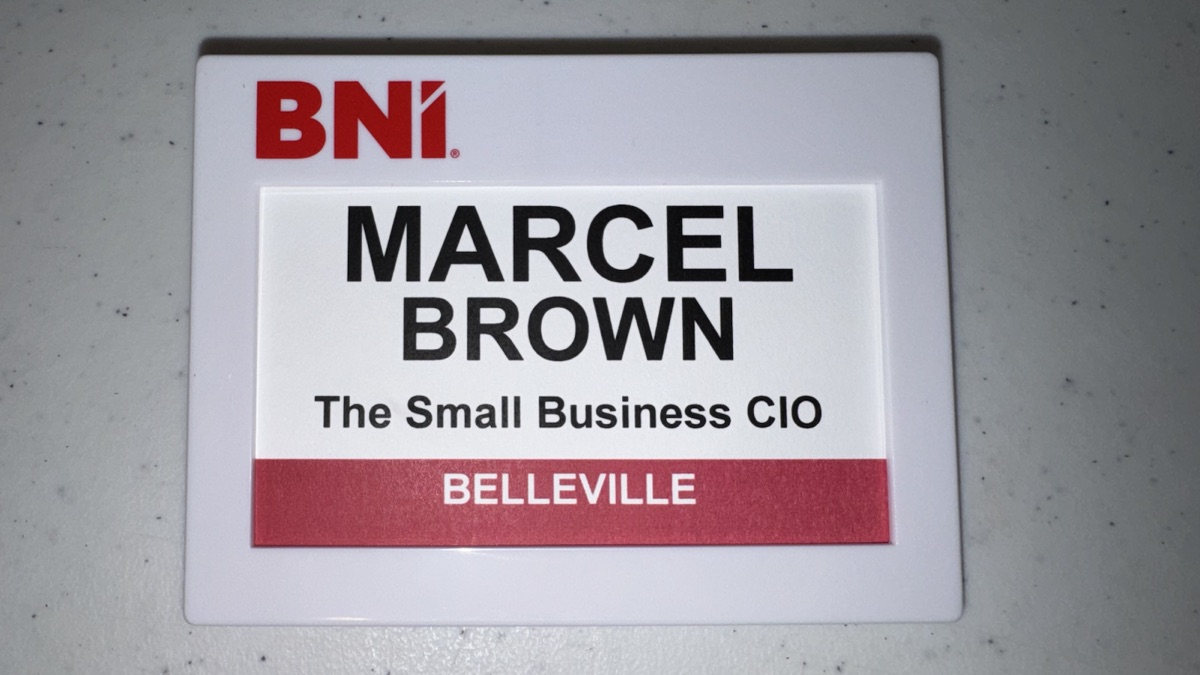
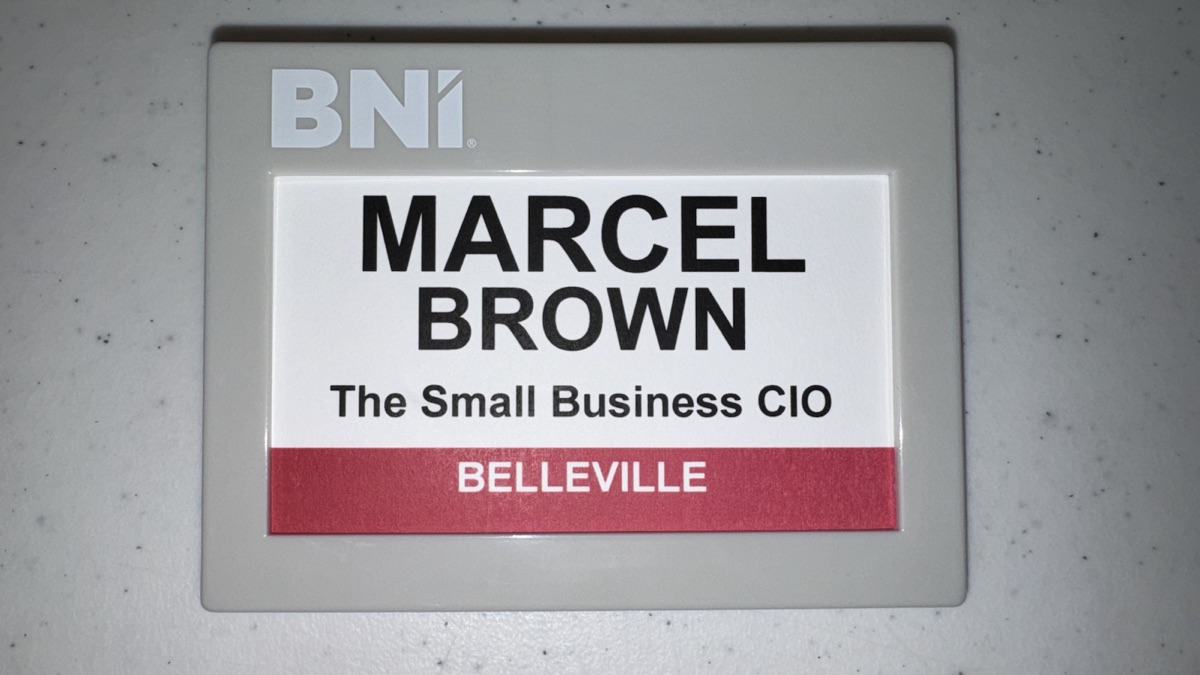
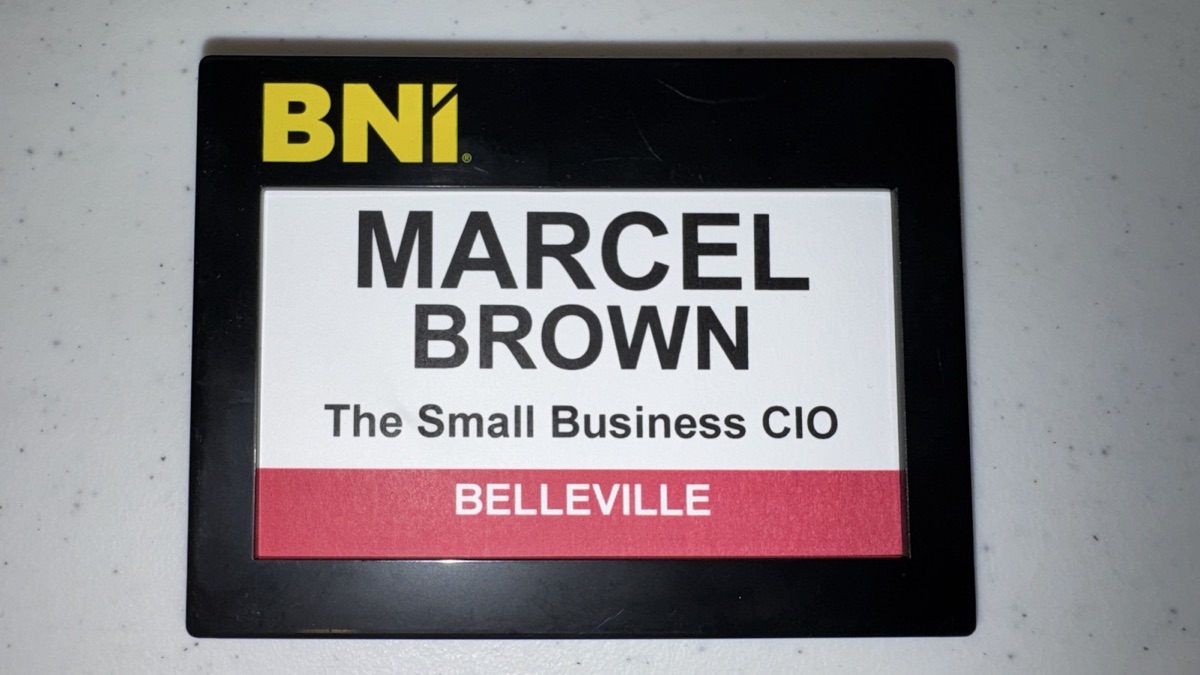
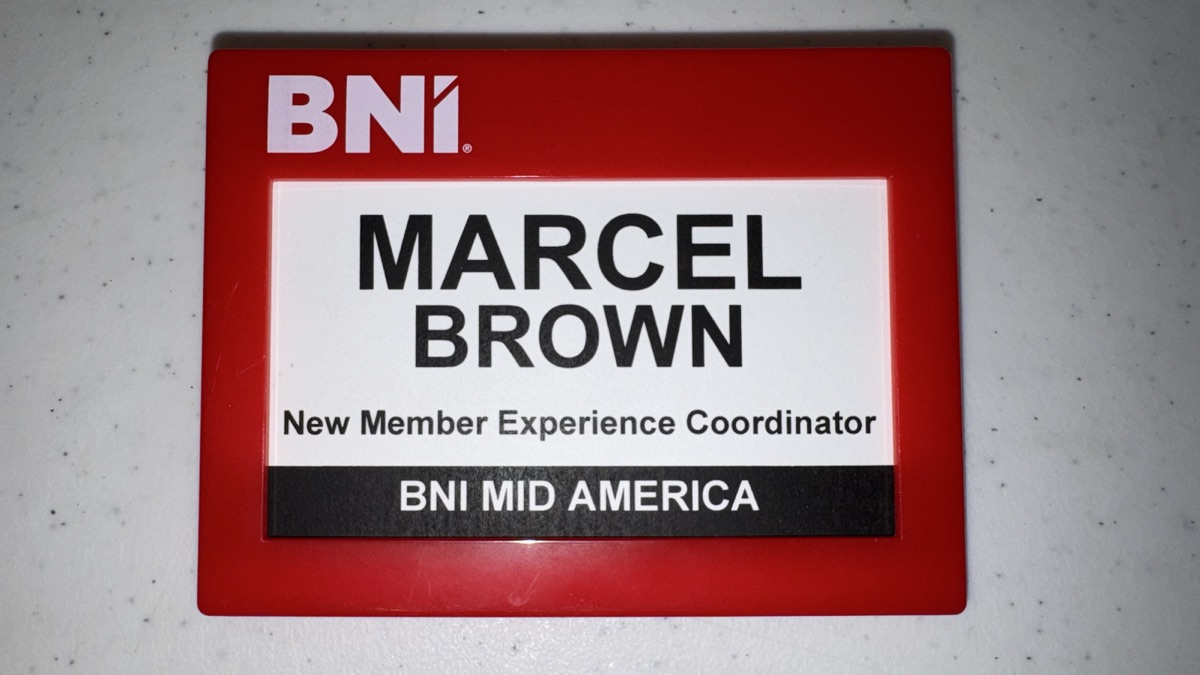
Chapter Member badges use a red footer and work in the white Member, gray Notable Networker, and black Gold Club holders. Regional Support Team badges use a black footer inside the red RST holder.
The Small Business CIO — The Most Trusted Name in Technology — and a 23-year BNI® member.
The holder color determines which of the two insert styles to use.
BNI Badge Maker is an independently developed, member-created tool and is not an official product of BNI Global, LLC. It is not affiliated with, authorized, sponsored, endorsed, approved, or sanctioned by BNI Global, LLC or any BNI regional organization.
BNI®, Business Network International®, and all related names, logos, trademarks, and service marks are the property of BNI Global, LLC and/or its affiliates. Their use in this tool is solely for identification and compatibility purposes and does not imply any official association or endorsement.
Users are responsible for confirming that badges produced with this tool comply with current BNI® brand standards and any applicable regional requirements.